Workspaces & Companies
Workspaces and companies form the organizational hierarchy of CryptaCount. Understanding this structure is essential for setting up your accounting workflow correctly.
Organizational Hierarchy
Section titled “Organizational Hierarchy”CryptaCount uses a three-level hierarchy:
Company → Workspace → Entities (Wallets, GL Accounts, Accounting Periods, Transactions, External Wallets, etc.)A company is the top-level legal entity. Each company contains one or more workspaces, and each workspace contains the actual accounting data — wallets, transactions, journal entries, reports, and settings. Most entities are workspace-scoped.
Companies
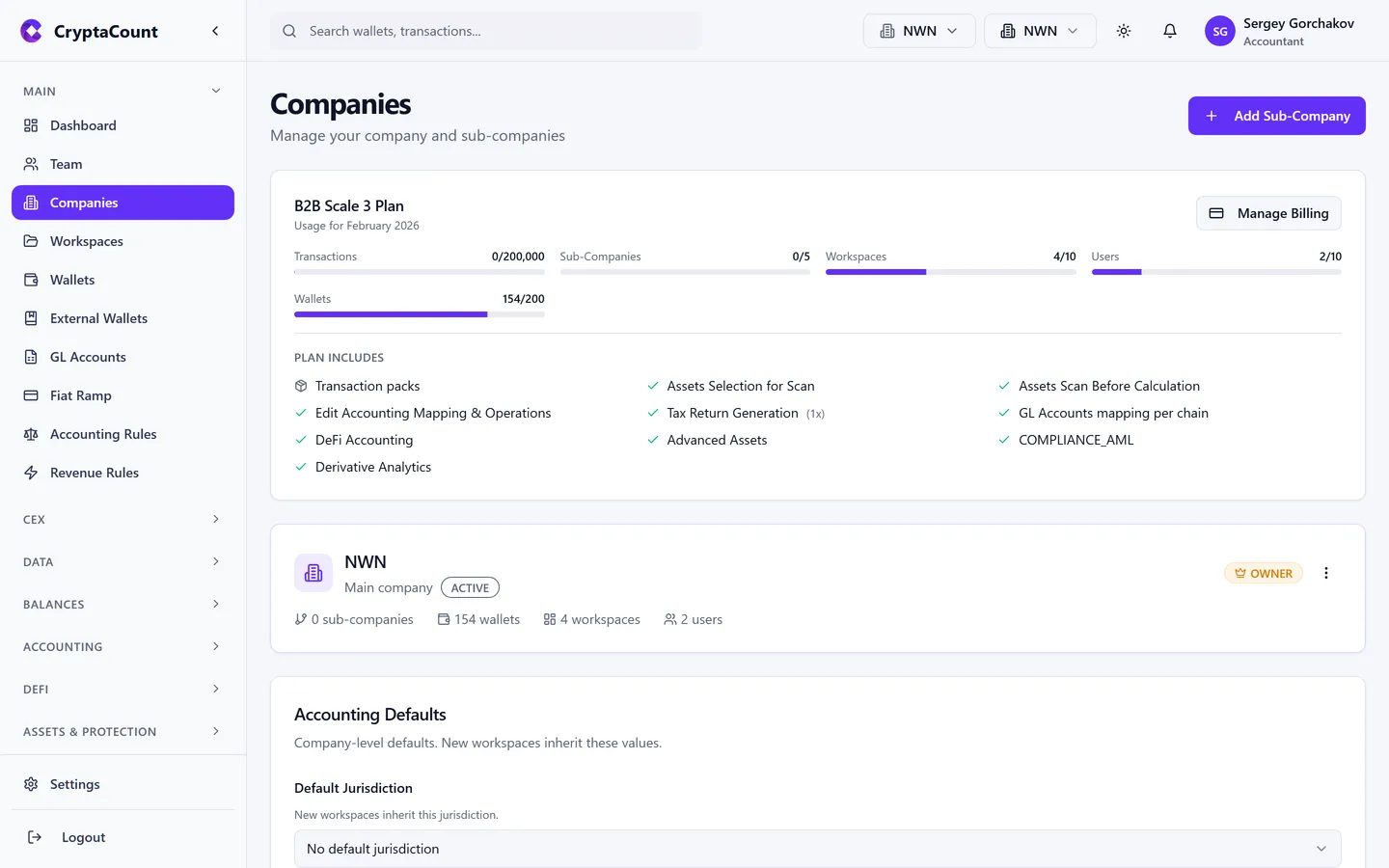
Section titled “Companies”Manage companies under Companies in the sidebar. Each company represents a legal entity in the system.
Creating a Company
Section titled “Creating a Company”Click Add Company and provide:
- Company name — The legal entity name
- Jurisdiction — Determines which tax profile rules apply. Select from 73 available jurisdictions.
- Registration number — Optional, for reference and reporting
- Accounting defaults — Set default cost basis method, base reporting currency, and reporting period
Company Roles
Section titled “Company Roles”Access within a company is controlled by company-level roles:
| Role | Can do |
|---|---|
| OWNER | Everything — billing, deletion, all settings |
| MANAGER | Manage workspaces, team members, and settings. Cannot delete the company or manage billing. |
| MEMBER | Work with data — transactions, reports, assets. Cannot invite team or change settings. |
| VIEWER | Read-only access to all company data |
Company Tree
Section titled “Company Tree”Companies support a parent-child structure via the company tree. Sub-companies can be created for group structures where multiple legal entities roll up to a parent.
Workspaces
Section titled “Workspaces”Manage workspaces under Workspaces in the sidebar. A workspace is the primary container for accounting data within a company.
Creating a Workspace
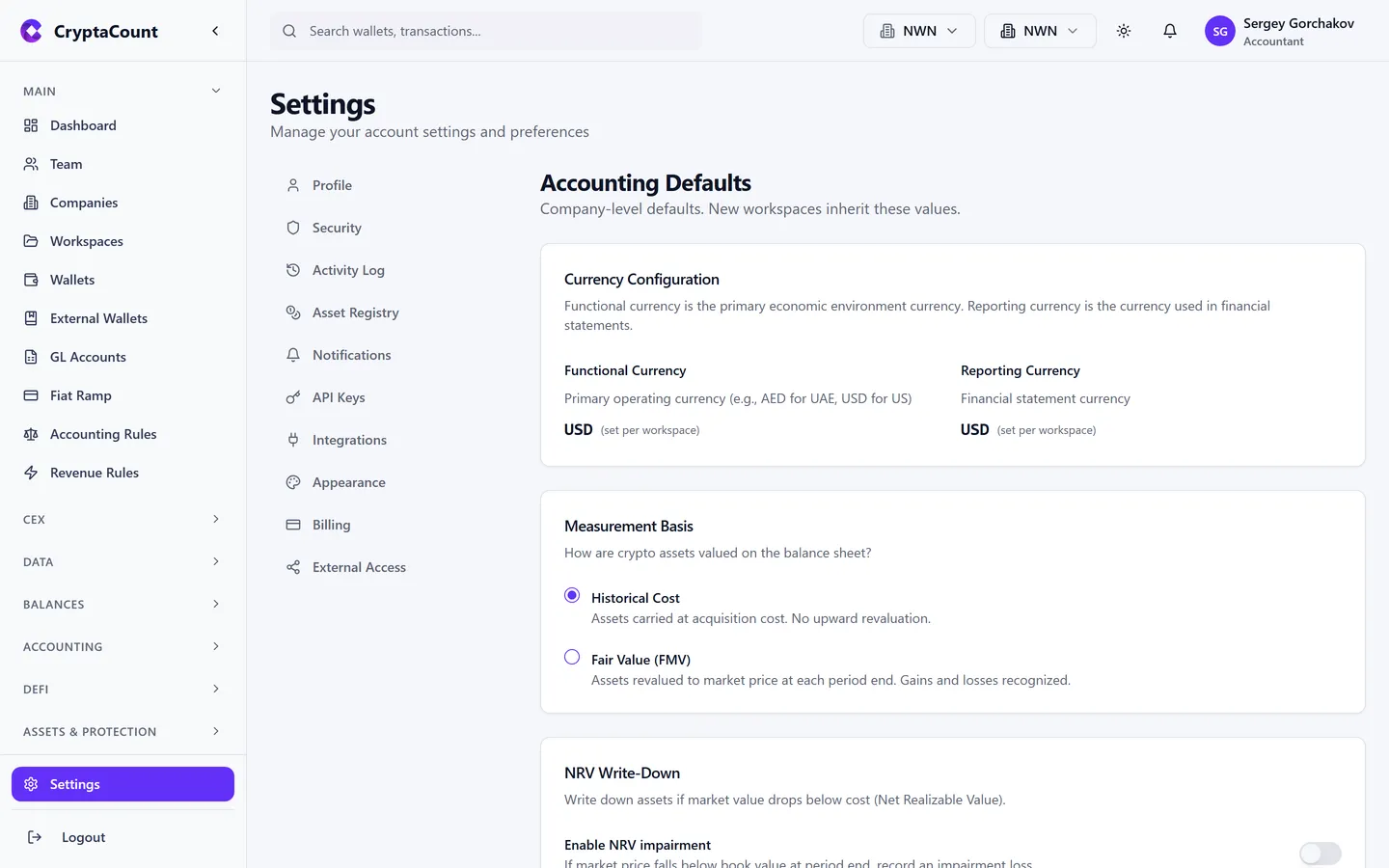
Section titled “Creating a Workspace”Each workspace belongs to a company. When creating a workspace, you specify:
- Workspace name — Descriptive label for this set of books
- Company — Which company this workspace belongs to
- Accounting settings — Can inherit from the company or override:
- Default cost basis method (Historic FIFO, Historic Weighted Average, FMV, NRV + FIFO, NRV + Weighted Average, LIFO, HIFO, Specific Identification)
- Base reporting currency (EUR, USD, GBP, CHF, etc.)
- Reporting period (calendar year or custom fiscal year)
Workspaces can be duplicated for creating similar setups quickly.
Workspace Accounting Settings
Section titled “Workspace Accounting Settings”Configure workspace-level accounting under Settings → Workspace Accounting:
- Default cost basis method
- Base currency
- Fiscal year settings
- Accounting rules and policies
Workspace Roles
Section titled “Workspace Roles”Access within a workspace is controlled by workspace-level roles:
| Role | Can do |
|---|---|
| OWNER | Everything — workspace deletion, ownership transfer |
| MANAGER | Manage wallets, team, settings. Cannot delete workspace. |
| MEMBER | Work with transactions, reports, assets |
| VIEWER | Read-only access |
When to Create Multiple Workspaces
Section titled “When to Create Multiple Workspaces”Accounting firms (Practice users): One workspace per client engagement provides complete data isolation between clients. Manage all clients from Practice → Clients.
Multi-entity businesses: One workspace per business unit or entity. Different jurisdictions and accounting methods per workspace.
Separate books: Different workspaces for DeFi operations vs. treasury vs. trading — then consolidated at the company level. Note the cost of this split before adopting it: assets moved between those workspaces are not internal transfers. See Moving Assets Between Workspaces below.
Moving Assets Between Workspaces
Section titled “Moving Assets Between Workspaces”A workspace is the accounting boundary. Internal transfers are traced within a single workspace only.
This follows from what a workspace is rather than being an arbitrary limit. Each workspace carries its own jurisdiction and its own cost basis method — in Example 2 below, Acme Trading keeps Delaware books on Historic FIFO while Acme DeFi Operations keeps Luxembourg books on FMV. In Example 1, each workspace holds a different legal client of the same firm. Two sets of books kept under different tax law cannot share one pool of lots, and one client’s cost basis cannot flow into another’s.
So when you move assets between two of your own workspaces — even within the same company:
- The outbound leg is a disposal in the source workspace. It consumes cost basis and realises gain or loss.
- The inbound leg is a new acquisition in the destination workspace, at market value on the transfer date.
- The holding period restarts. A long-held asset arrives as a fresh acquisition.
If you want internal-transfer treatment, hold both wallets in the same workspace. Transfers between wallets inside one workspace are matched and netted normally, with basis and holding period preserved.
If you have already split wallets across workspaces
Section titled “If you have already split wallets across workspaces”Move the wallet into the workspace that should own it, then re-run lot generation for that workspace. Cost basis is recalculated from the transaction history, so the lots come out as though the wallet had always been there.
Practical Setup Examples
Section titled “Practical Setup Examples”Example 1: Accounting Firm with Three Clients
Section titled “Example 1: Accounting Firm with Three Clients”Company: "Smith & Partners Crypto Practice"├── Workspace: "Client A — TechCorp GmbH" (Germany, Historic FIFO)├── Workspace: "Client B — InvestCo SAS" (France, Historic Weighted Average)└── Workspace: "Client C — NodeOps Ltd" (Luxembourg, Historic FIFO)Each workspace has its own wallets, transactions, and reports. The firm manages all clients from the Practice portal.
Example 2: Corporate Group
Section titled “Example 2: Corporate Group”Company: "Acme Holdings Ltd" (Luxembourg)├── Workspace: "Acme Trading" (Delaware, USA — Historic FIFO)├── Workspace: "Acme DeFi Operations" (Luxembourg — FMV)└── Workspace: "Acme Asia Treasury" (Singapore — Historic Weighted Average)Different jurisdictions, potentially different cost basis methods, unified at the company level.
Example 3: Solo Business
Section titled “Example 3: Solo Business”Company: "MyCompany Ltd" (UK)└── Workspace: "Main Books" (Historic FIFO)Simple structure for a single-entity business managing its own crypto accounting.
Still need help?
Can't find what you're looking for? Our support team is here for you.
Evaluating CryptaCount for your firm? See pricing · Book a demo