

Reconciliation
Reconciliation
Section titled “Reconciliation”Reconciliation is the process of verifying that your accounting data is complete, consistent, and matches external sources. CryptaCount provides 12 automated workspace checks that cover everything from address mappings to double-entry integrity.
Reconciliation Dashboard
Section titled “Reconciliation Dashboard”The dashboard under Reconciliation in the sidebar shows the current state of all workspace checks.
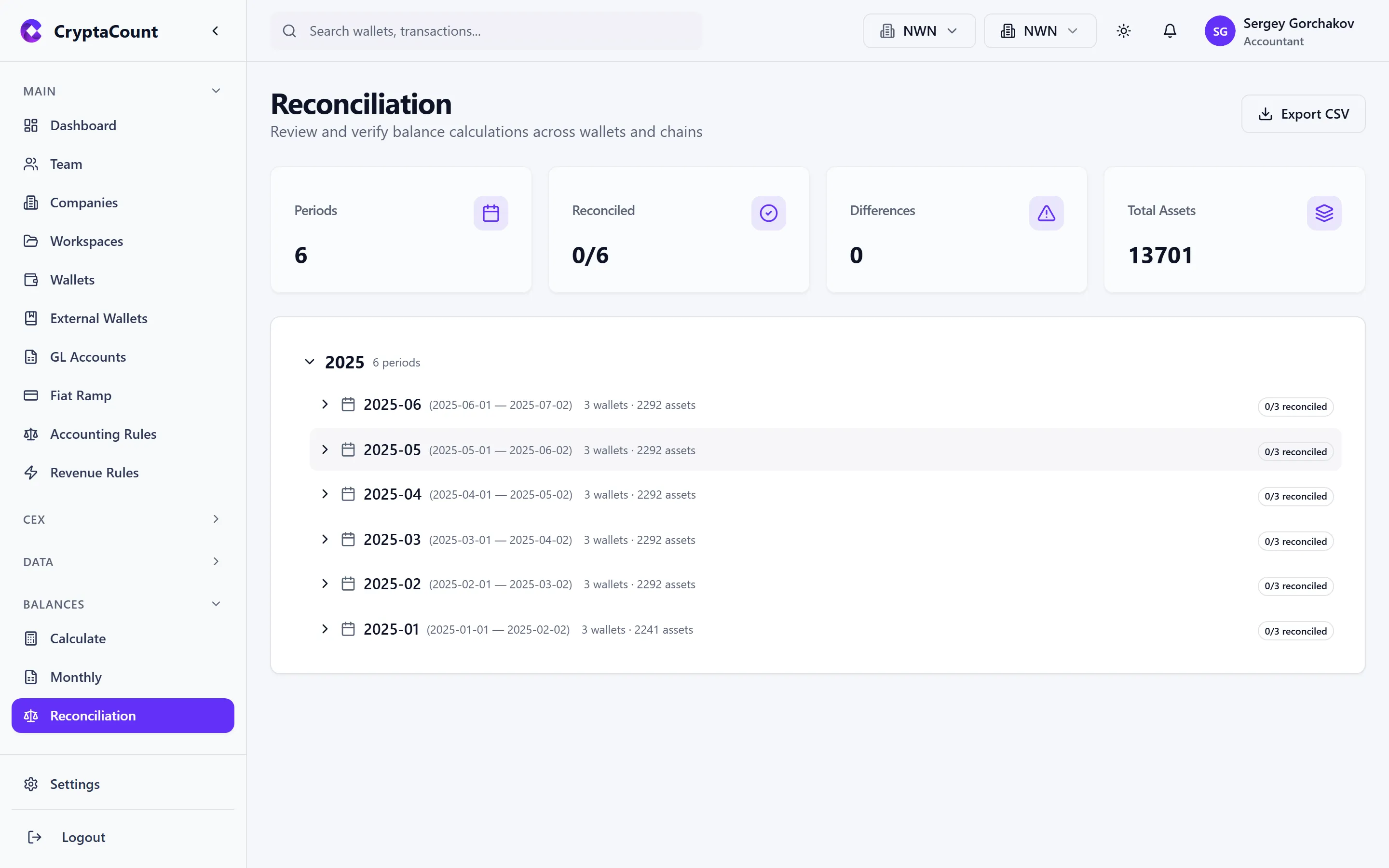
Each check displays:
- Check name — What is being verified
- Status — Pass, Fail, Warning, or Not Run
- Last run — When this check was most recently executed
- Findings count — Number of issues found (if any)
The 12 Workspace Checks
Section titled “The 12 Workspace Checks”1. Unmapped Addresses
Section titled “1. Unmapped Addresses”What it checks: Finds transaction addresses that don’t have a GL account mapping.
Why it matters: Unmapped addresses mean transactions can’t be properly journalized. If an address appears in your transaction data but has no GL mapping, journal entries for those transactions will be incomplete or missing.
Resolution: Add the address as an internal or external wallet with a GL mapping, or assign a GL account to the existing wallet.
2. Transaction Counts
Section titled “2. Transaction Counts”What it checks: Compares expected transaction counts (from blockchain data and CEX imports) against actual recorded transactions.
Why it matters: A mismatch indicates missing data — transactions that should have been imported but weren’t. This can happen due to sync failures, import errors, or incomplete pulls.
Resolution: Re-sync affected wallets or re-import CEX data for the missing periods.
3. Opening / Closing Balances
Section titled “3. Opening / Closing Balances”What it checks: Verifies that the closing balance of one period equals the opening balance of the next.
Why it matters: A break in the opening/closing chain means something changed between period boundaries — a late-arriving transaction, a recalculation, or a manual adjustment that wasn’t properly propagated.
Resolution: Recalculate balances for the affected periods. If the discrepancy persists, check for transactions with timestamps that fall between period boundaries.
4. Internal Transfers
Section titled “4. Internal Transfers”What it checks: Verifies that internal transfers between your own wallets are properly matched and net to zero.
Why it matters: An unmatched internal transfer inflates both outflows and inflows, distorting your financial statements. Every TRANSFER_OUT from one of your wallets to another of your wallets should have a corresponding TRANSFER_IN.
Resolution: Use the CEX Transfer Matching tool for CEX-to-wallet transfers, or classify matched pairs as INTERNAL_TRANSFER.
5. Fees
Section titled “5. Fees”What it checks: Validates that gas fees and trading fees are properly recorded and classified.
Why it matters: Missing fee transactions understate expenses. Misclassified fees (e.g., a gas fee recorded as a transfer) distort reporting categories.
Resolution: Review flagged fee transactions and correct their classification.
6. Price Availability
Section titled “6. Price Availability”What it checks: Identifies transactions and balance dates where price data is missing.
Why it matters: Without a price, CryptaCount cannot compute fair market value for the transaction or balance. This affects FMV calculations, realized gain/loss, and impairment testing.
Resolution: Missing prices may resolve with a price backfill. For obscure or low-liquidity tokens, manual price entry may be required.
7. CEX Matching
Section titled “7. CEX Matching”What it checks: Verifies that CEX deposits and withdrawals are matched with on-chain wallet movements.
Why it matters: Unmatched CEX transfers cause double-counting — the same economic event appears as both an exchange transaction and a wallet transaction.
Resolution: Use the Transfer Matching tool to link unmatched pairs.
8. Double Entry
Section titled “8. Double Entry”What it checks: Validates that every journal entry has balanced debits and credits.
Why it matters: An unbalanced journal entry violates the fundamental accounting equation. This check catches corrupted or partially-posted entries.
Resolution: Review and correct the flagged journal entries. Re-post from the source transaction if needed.
9. Ledger Replay
Section titled “9. Ledger Replay”What it checks: Replays the journal entry sequence and verifies that the resulting balances match the computed balances.
Why it matters: This is a comprehensive integrity check. If replaying journals from scratch produces different balances than the stored calculations, something in the data pipeline is inconsistent.
Resolution: This typically indicates a data issue. Export the findings and investigate the specific assets and periods where replay differs from stored values.
10. Integrity
Section titled “10. Integrity”What it checks: Runs data integrity validation across the full workspace — referential integrity, hash chain verification on the general ledger, and consistency between related entities.
Why it matters: Catches low-level data issues that other checks miss — orphaned records, broken references, and tampered ledger entries.
Resolution: Integrity failures should be investigated promptly. The findings detail which specific records failed validation.
11. Balance vs. Blockchain
Section titled “11. Balance vs. Blockchain”This check compares your computed on-chain balances against live blockchain data.
What it checks: Queries current on-chain balances for each wallet and compares against CryptaCount’s calculated holdings.
Why it matters: A mismatch means either transactions are missing from your data (sync gap) or transactions are incorrectly classified (e.g., a TRANSFER_IN that should be a SWAP).
Resolution: Re-sync the affected wallet. If the discrepancy persists after sync, investigate individual transactions during the mismatched period.
12. Hierarchy Reconciliation
Section titled “12. Hierarchy Reconciliation”What it checks: Verifies that balances roll up correctly through the GL account hierarchy — sub-accounts sum to their parent accounts.
Why it matters: Ensures report totals are consistent. A broken hierarchy means your balance sheet or trial balance totals don’t match the sum of their line items.
Resolution: Review the GL account tree and correct any misconfigured parent/child relationships.
Running Reconciliation
Section titled “Running Reconciliation”Individual Checks
Section titled “Individual Checks”Run any single check from the reconciliation dashboard by clicking Run next to the check name. Results appear within seconds for most checks; ledger replay and integrity checks may take longer for large workspaces.
Full Reconciliation
Section titled “Full Reconciliation”Click Run Full Reconciliation to execute all 12 checks in sequence. This produces a comprehensive reconciliation report that is saved for audit trail purposes.
A full reconciliation is recommended:
- At the end of each accounting period before closing
- After importing large batches of new data
- After making bulk classification or GL mapping changes
- Before generating financial statements for external use
Reconciliation Reports
Section titled “Reconciliation Reports”View completed reports under Reconciliation → Reports.
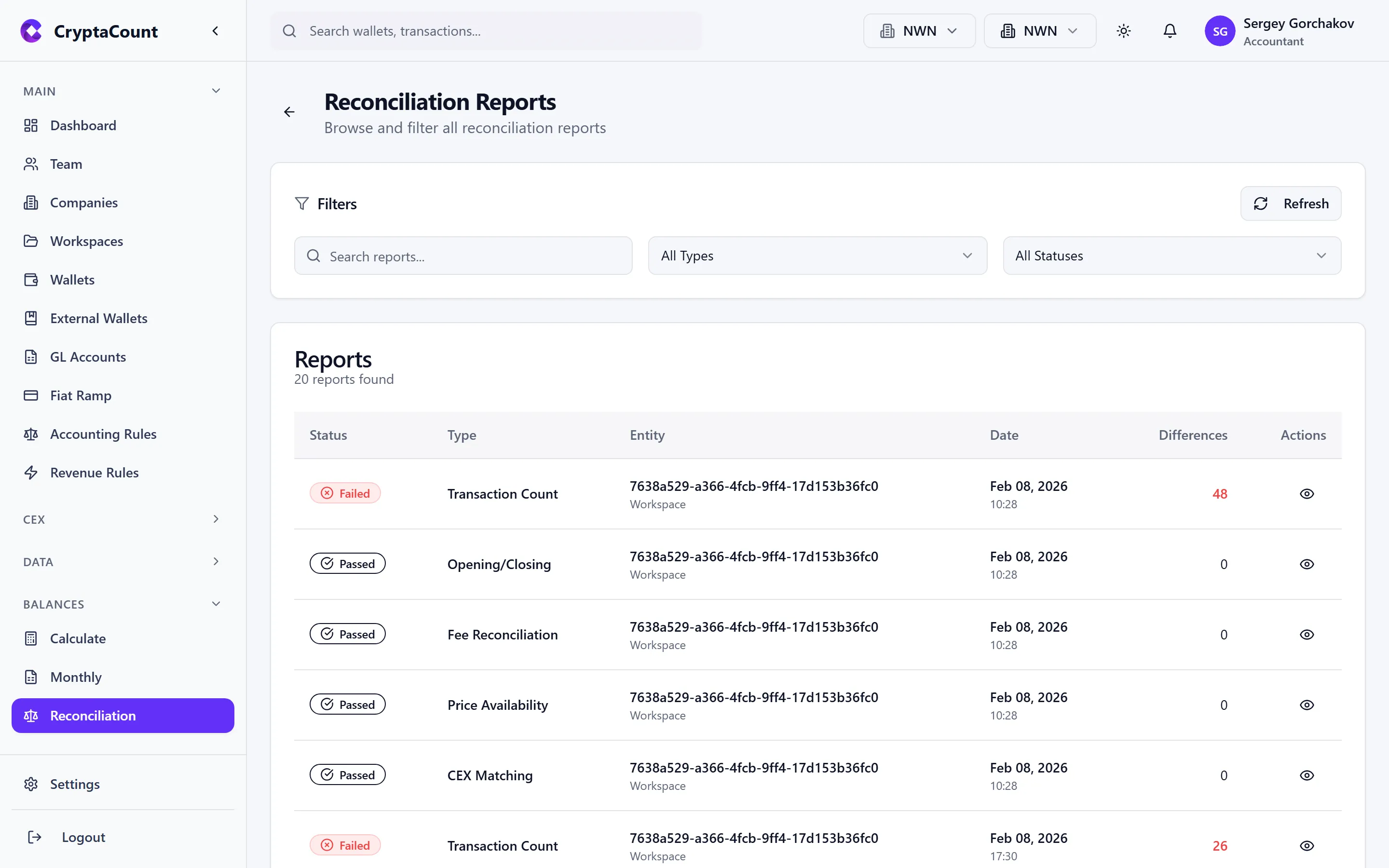
Each report shows:
- Run date — When the reconciliation was executed
- Type — Full reconciliation or individual check
- Status — Pass (all checks passed), Warning (some issues), or Fail (critical issues found)
- Findings — Total number of issues across all checks
Report Details
Section titled “Report Details”Click a report to view its full findings:
- Summary — Pass/fail status for each check with finding counts
- Findings list — Individual issues with description, affected entity, and severity
- Recommendations — Suggested resolution for each finding
Exporting Reports
Section titled “Exporting Reports”Reconciliation reports can be exported for external audit use. The export includes:
- Full findings detail
- Check methodology descriptions
- Resolution status for previously addressed findings
- Timestamp and workspace identification
This export is essential for audit documentation — it provides evidence that reconciliation procedures were performed and their results.