

Journal Entries & Generation
Journal Entries & Generation
Section titled “Journal Entries & Generation”Journal entries are the atomic records of CryptaCount’s double-entry bookkeeping system. Every balance change — whether from an on-chain transaction, a CEX trade, or a manual adjustment — is expressed as a journal entry with balanced debits and credits.
Viewing Journal Entries
Section titled “Viewing Journal Entries”Navigate to Accounting → Journal Entries to browse the full journal ledger.
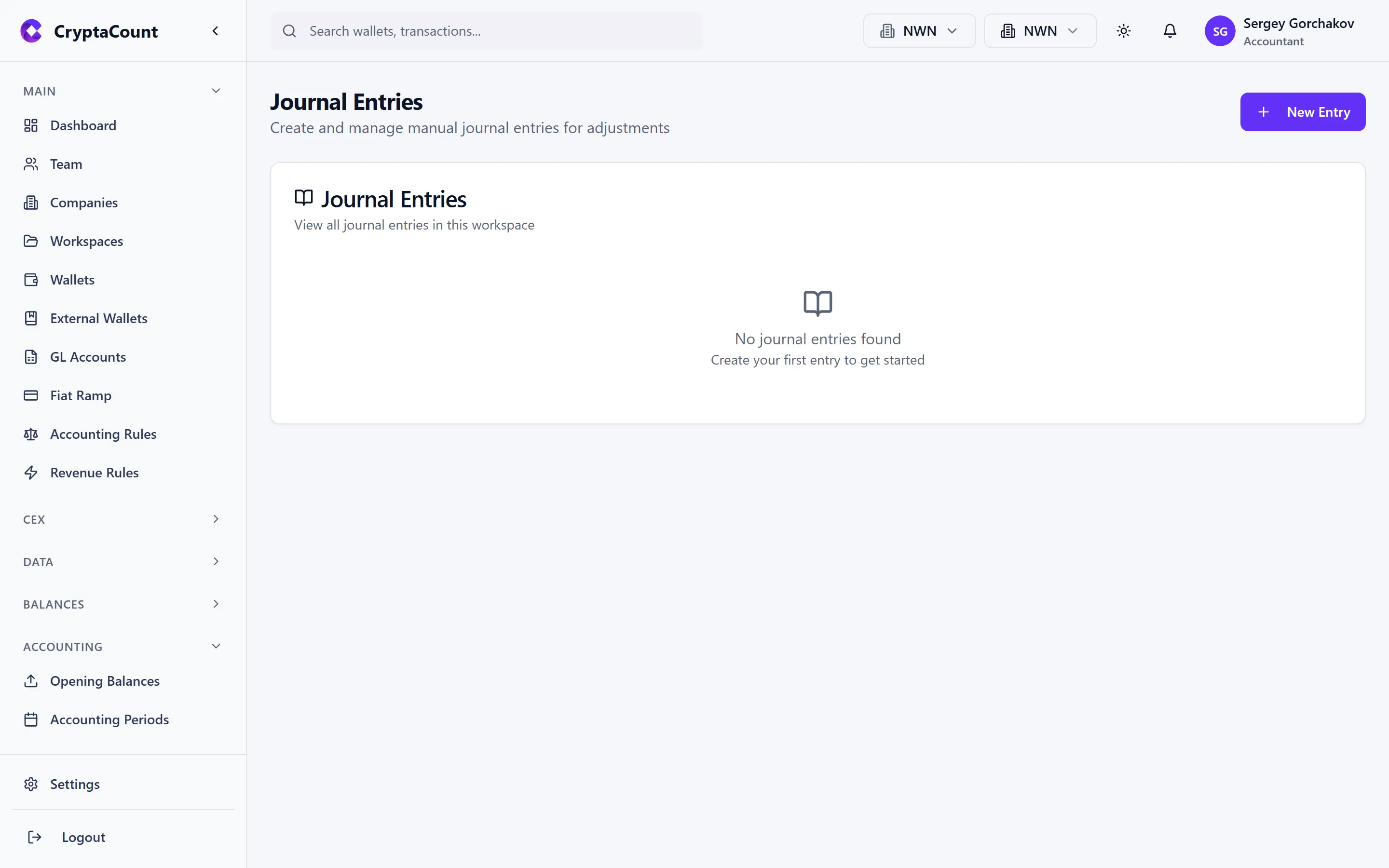
Ledger View
Section titled “Ledger View”The journal ledger displays entries in reverse chronological order with:
- Entry date — When the economic event occurred
- Posted date — When the entry was posted to the ledger
- Reference — Source transaction hash, CEX trade ID, or manual reference
- Description — Auto-generated or user-provided narrative
- Accounts — Debit and credit GL accounts with amounts
- Status — Draft, Posted, or Reversed
- Hash — Truncated hash for chain verification
Filtering & Search
Section titled “Filtering & Search”Filter journal entries by:
| Filter | Options |
|---|---|
| Date range | Custom start/end dates |
| GL account | Specific account or account type |
| Status | Draft, Posted, Reversed |
| Transaction type | Source transaction classification |
| Amount range | Min/max amounts |
| Reference | Free-text search on reference field |
Search supports partial matching on descriptions and references. Results can be exported to CSV or Excel.
Journal Entry Detail
Section titled “Journal Entry Detail”Click any entry to view its full detail:
Each entry shows:
- Header — Date, reference, description, status, created-by user
- Lines — Each debit and credit line with GL account, amount, and optional memo
- Source — Link to the originating transaction (if auto-generated)
- Hash chain — Current entry hash plus link to predecessor
- Audit trail — Who created, posted, or reversed the entry and when
- Attachments — Any supporting documents linked via audit attachments
Creating Manual Entries
Section titled “Creating Manual Entries”To create a journal entry manually:
- Click New Entry
- Set the entry date and description
- Add debit lines — select GL account, enter amount, optional memo
- Add credit lines — total credits must equal total debits
- Save as Draft or Post immediately
Example: Acme Digital Holdings records a year-end accrual:
| Account | Debit | Credit |
|---|---|---|
| Accrued Expenses — Audit Fees | €15,000 | |
| Accounts Payable | €15,000 |
Posting Draft Entries
Section titled “Posting Draft Entries”Draft entries do not affect account balances until posted. To post:
- Open the draft entry
- Review the lines
- Click Post
- The entry is assigned a hash, linked into the hash chain, and account balances update
Posting is irreversible in the sense that the entry cannot be edited after posting. To correct a posted entry, reverse it and create a new entry.
Reversing Entries
Section titled “Reversing Entries”Reverse a posted entry to undo its effect:
- Open the posted entry
- Click Reverse
- CryptaCount creates a new entry with all debits and credits swapped
- Both the original and reversal entries are linked for audit trail
The reversal entry carries a reference to the original entry (e.g., “Reversal of JE-00412”). Both entries remain in the ledger — nothing is deleted.
Reassigning GL Accounts
Section titled “Reassigning GL Accounts”If journal entries were posted to incorrect GL accounts:
- Navigate to Balances → Reassign GL
- Select the entries to reassign
- Choose the correct GL accounts
- CryptaCount generates reversal and re-posting entries automatically
Tamper-Evident Journal Hashing
Section titled “Tamper-Evident Journal Hashing”CryptaCount implements a cryptographic hash chain across journal entries to ensure ledger integrity.
How It Works
Section titled “How It Works”Each journal entry’s hash is computed from:
- The entry’s date, lines (accounts, amounts), description, and metadata
- The hash of the previous journal entry in the chain
This creates a linked chain: modifying any historical entry changes its hash, which breaks the chain for all subsequent entries.
Verification
Section titled “Verification”The hash chain is verified during:
- Period close checks — The close workflow includes a hash chain integrity check
- On-demand verification — Run hash chain verification from the accounting pipeline
- Reconciliation — The full reconciliation suite includes ledger replay with hash verification
A broken hash chain indicates that an entry was modified outside the normal workflow — a critical audit finding.
Generate & Migrate Journals
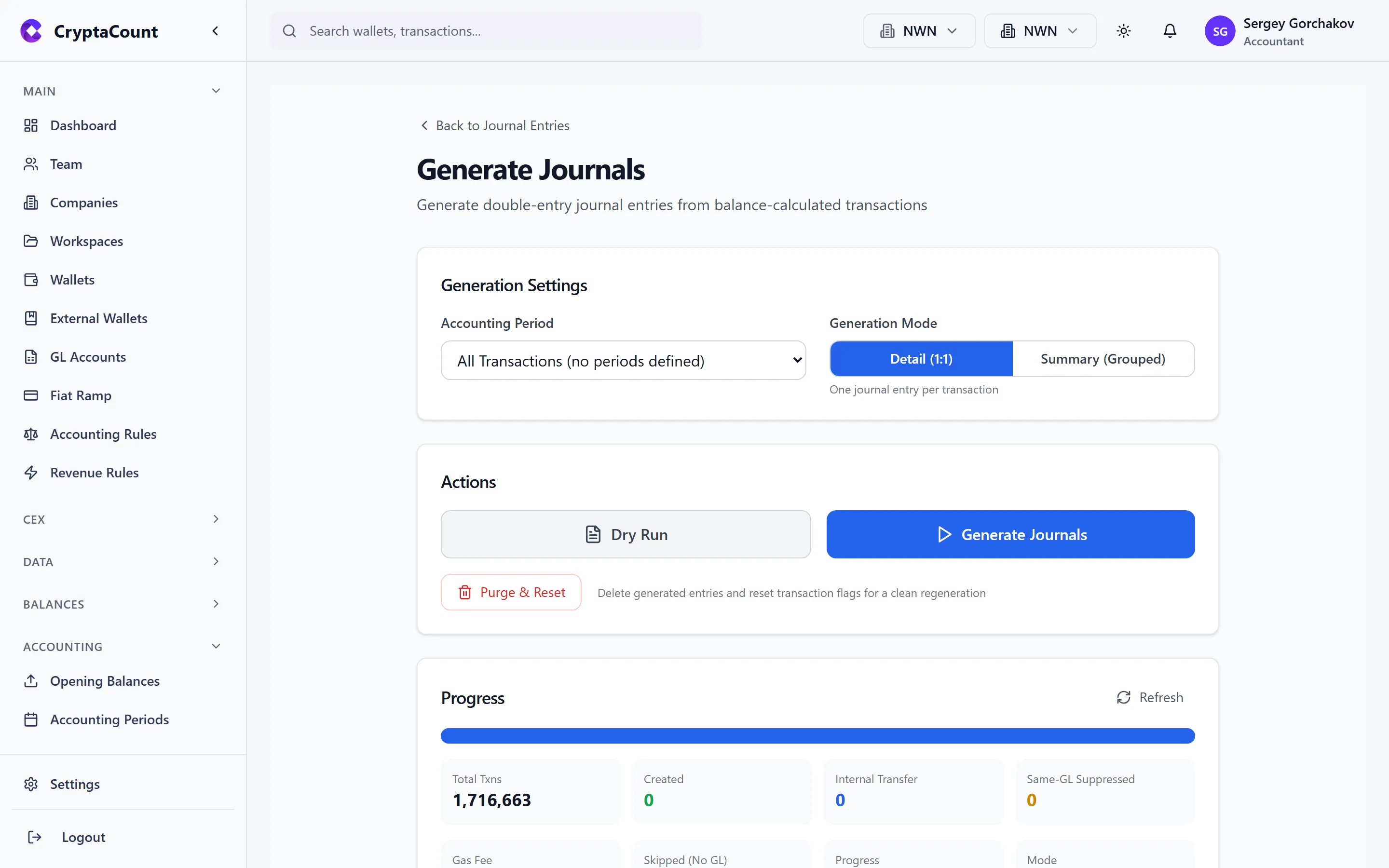
Section titled “Generate & Migrate Journals”The journal generation tool under Accounting → Generate Journals handles batch processing for scenarios where journals need to be created or recreated in bulk.
Use Cases
Section titled “Use Cases”| Scenario | Description |
|---|---|
| Historical migration | Generate journals for transactions that predate the accounting pipeline setup |
| Rule changes | Regenerate journals after modifying accounting rules to apply new classifications |
| Bulk re-posting | Reprocess a date range after correcting GL mappings or cost basis settings |
| System migration | Generate CryptaCount journals from data imported from another platform |
Running a Generation
Section titled “Running a Generation”- Navigate to Accounting → Generate Journals
- Select the scope:
- Date range — Process all transactions within the specified dates
- Wallet — Process only transactions for specific wallets
- Transaction type — Limit to specific transaction classifications
- Click Start Generation
- Monitor progress in the status panel:
- Transactions processed / total
- Journals created
- Errors encountered
- Review any errors before completing
Controls
Section titled “Controls”| Action | Description |
|---|---|
| Start | Begin journal generation for the selected scope |
| Cancel | Stop an in-progress generation (already-created journals are retained) |
| Cleanup | Remove journals created by a cancelled or failed generation run |
| Purge | Remove all generated journals for the selected scope (use before re-running) |
Status Tracking
Section titled “Status Tracking”The generation tool tracks:
- Total transactions in scope
- Transactions processed
- Journals successfully created
- Transactions skipped (already have journals)
- Errors with details
Generation runs are recorded with start/end timestamps and can be reviewed in the activity log.