

Fiat On/Off Ramp Tracking
Fiat On/Off Ramp Tracking
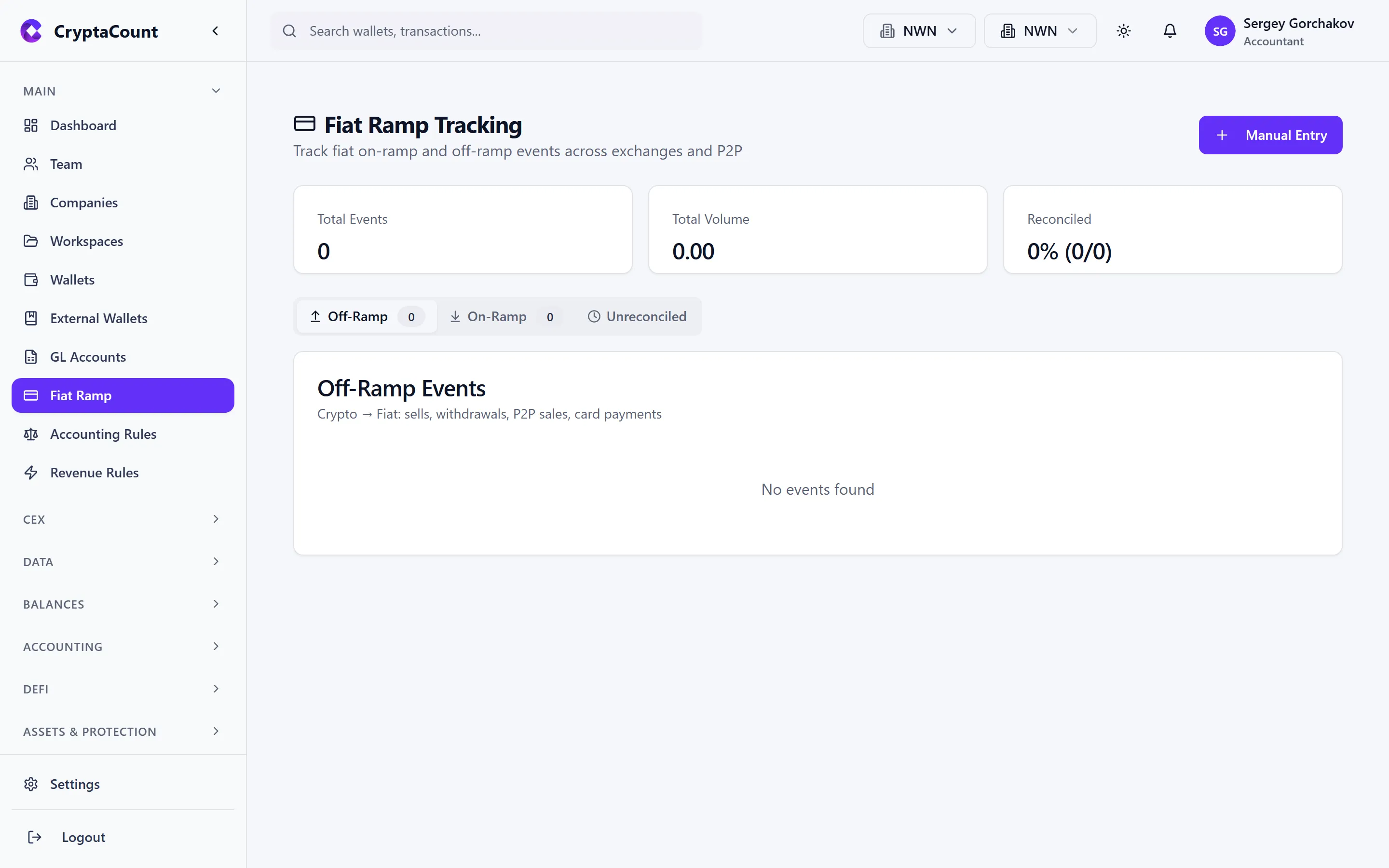
Section titled “Fiat On/Off Ramp Tracking”The fiat ramp module under Fiat Ramp in the sidebar tracks the movement of fiat currency into and out of the crypto ecosystem. When Acme Digital Holdings deposits USD to an exchange to purchase crypto, or withdraws EUR from an exchange to a bank account, these movements are captured here.
Why Track Fiat Ramps
Section titled “Why Track Fiat Ramps”Fiat on/off ramps sit at the boundary between traditional banking and crypto — a critical reconciliation point:
- Audit trail — Demonstrates the source of funds entering the crypto ecosystem
- Bank reconciliation — Matches exchange fiat movements against bank statement entries
- Completeness — Ensures all fiat movements are accounted for in financial statements
- Regulatory compliance — Many jurisdictions require clear documentation of fiat-to-crypto conversions
Viewing Fiat Ramp Activity
Section titled “Viewing Fiat Ramp Activity”The fiat ramp list shows all tracked fiat movements:
- Date — When the deposit or withdrawal occurred
- Direction — Deposit (fiat in) or Withdrawal (fiat out)
- Amount — Fiat amount and currency (USD, EUR, GBP, etc.)
- Source / Destination — Bank account or exchange
- Status — Reconciled, Unreconciled, or Pending
- Reference — Bank reference number or exchange transaction ID
Adding Fiat Ramp Entries
Section titled “Adding Fiat Ramp Entries”Automatic Detection
Section titled “Automatic Detection”When CEX data is imported (via API or file), fiat deposits and withdrawals are automatically detected and added to the fiat ramp tracker. These appear with the exchange as the source and the fiat currency details populated from the exchange data.
Manual Entry
Section titled “Manual Entry”For fiat movements not captured by exchange imports — such as direct bank-to-bank transfers or off-platform OTC trades:
- Click Add Manual Entry
- Select Deposit or Withdrawal
- Enter the amount and currency
- Specify the source and destination (bank account name, exchange, etc.)
- Add a reference number for matching against bank statements
- Set the date
- Save
Manual entries are marked as such in the list, distinguishing them from automatically imported records.
Reconciling with Bank Accounts
Section titled “Reconciling with Bank Accounts”The core purpose of fiat ramp tracking is reconciliation against bank records.
The Reconciliation Process
Section titled “The Reconciliation Process”- Export bank statement — Download a statement from your bank covering the relevant period
- Compare entries — Match each bank statement line item against fiat ramp entries in CryptaCount
- Mark reconciled — For matched pairs, mark the fiat ramp entry as reconciled
- Investigate differences — Unmatched items need investigation:
- A bank entry without a CryptaCount record → add a manual entry
- A CryptaCount record without a bank entry → verify the source data
- Amount differences → check for fees or currency conversion differences
Reconciliation Status
Section titled “Reconciliation Status”Each fiat ramp entry has one of three statuses:
| Status | Meaning |
|---|---|
| Unreconciled | Not yet matched against bank records |
| Reconciled | Matched and verified against bank statement |
| Pending | Entry is recent or awaiting bank settlement |
Viewing Unreconciled Items
Section titled “Viewing Unreconciled Items”Filter the fiat ramp list to show only unreconciled entries. These are the items that need attention during the reconciliation process. A clean fiat ramp — with all entries reconciled — provides confidence that the boundary between fiat and crypto is fully accounted for.
Integration with Financial Statements
Section titled “Integration with Financial Statements”Fiat ramp data feeds into financial reporting:
- Cash Flow Statement — Fiat deposits to exchanges appear as investing activities; withdrawals appear as returns from investing
- Balance Sheet — Exchange fiat balances are tracked as current assets
- Reconciliation checks — The reconciliation module includes fiat ramp coverage in its completeness checks