

Billing & Plans
Billing & Plans
Section titled “Billing & Plans”CryptaCount uses a subscription-based pricing model with plan tiers that control access to features. Billing includes automatic invoicing and self-service management.
Plans are designed for different audience segments:
Business — For companies managing their own crypto accounting. Limits based on wallets, transaction volume, and features.
Practice — For accounting firms, auditors, and tax advisers managing multiple clients. Higher limits and client management features.
Plan details and current pricing are available at cryptacount.com/pricing.
What Plans Control
Section titled “What Plans Control”Plans determine access to feature modules and set usage limits:
- Number of connected wallets
- Monthly transaction sync volume
- Number of companies
- Number of team members
- Number of workspaces (Practice plans)
- Access to advanced feature modules (DeFi accounting, advanced assets, compliance, tax generation, derivatives)
When you reach a plan limit, CryptaCount indicates which limit was hit and which upgrade resolves it. Existing data and reports remain fully accessible — only new additions are blocked.
Managing Your Subscription
Section titled “Managing Your Subscription”Navigate to Settings → Billing to:
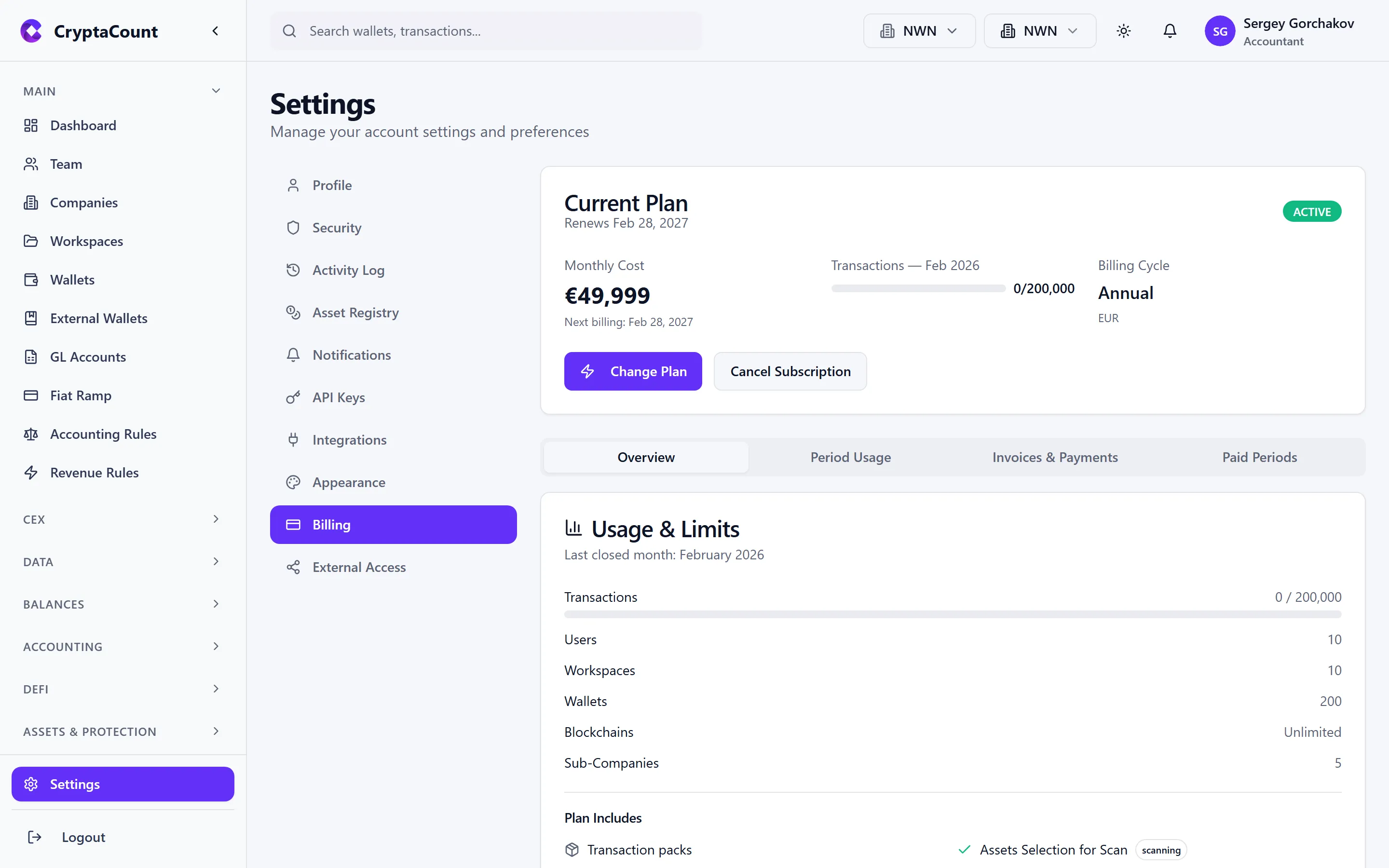
- View current plan — Plan tier, usage against limits, billing cycle, feature access
- Upgrade or downgrade — Change plan tier. Upgrades take effect immediately with prorated billing. Downgrades take effect at end of current cycle.
- Payment method — Open the customer portal to update card, switch payment methods, or update billing address
- Invoices — View and download past invoices with proper tax documentation
- Usage — Track wallet count, transaction volume, and feature usage against plan limits
Payment Processing
Section titled “Payment Processing”All payment processing is handled securely:
- Checkout — Initial subscription setup
- Customer portal — Hosted portal for payment method management
- Invoices — Automatically generated with tax documentation
Practice Billing
Section titled “Practice Billing”Practice users (audit firms, accounting practices) have a separate billing portal under Practice → Billing:
- Practice-specific pricing and plan tiers
- Client management billing
- The standard Billing tab in Settings is hidden for Practice users
Billing Entities
Section titled “Billing Entities”CryptaCount operates through two legal entities for billing:
| Your Location | Billed By | Tax Treatment |
|---|---|---|
| United States | CryptaCount, Inc. | US sales tax (nexus-based) |
| European Union | CryptaCount, Inc. | EU VAT via Luxembourg OSS |
| Rest of World | CryptaCount, Inc. | Applicable local tax |
Entity assignment is automatic based on billing address.
Overage Handling
Section titled “Overage Handling”If usage exceeds plan allocations, overage charges are calculated at the end of each billing cycle and added to the next invoice. Overage packs can be purchased proactively to cover expected overages at a discounted rate.
Cancellation
Section titled “Cancellation”To cancel, navigate to Settings → Billing → Cancel Plan:
- Subscription remains active until the end of the current paid period
- After expiration, workspace enters read-only mode
- Data is retained for 90 days, then scheduled for deletion
- Reactivate at any time during the retention period
Workspace Sharing and Billing
Section titled “Workspace Sharing and Billing”The “no double billing” principle: when a business shares workspace access with their auditor or accountant, only the business’s subscription is charged. The professional accessing the shared workspace does not incur additional charges.